Desertcart purchases this item on your behalf and handles shipping, customs, and support to Turkey.
🎶 Unlock your studio’s secret weapon — small device, massive beats!
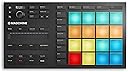
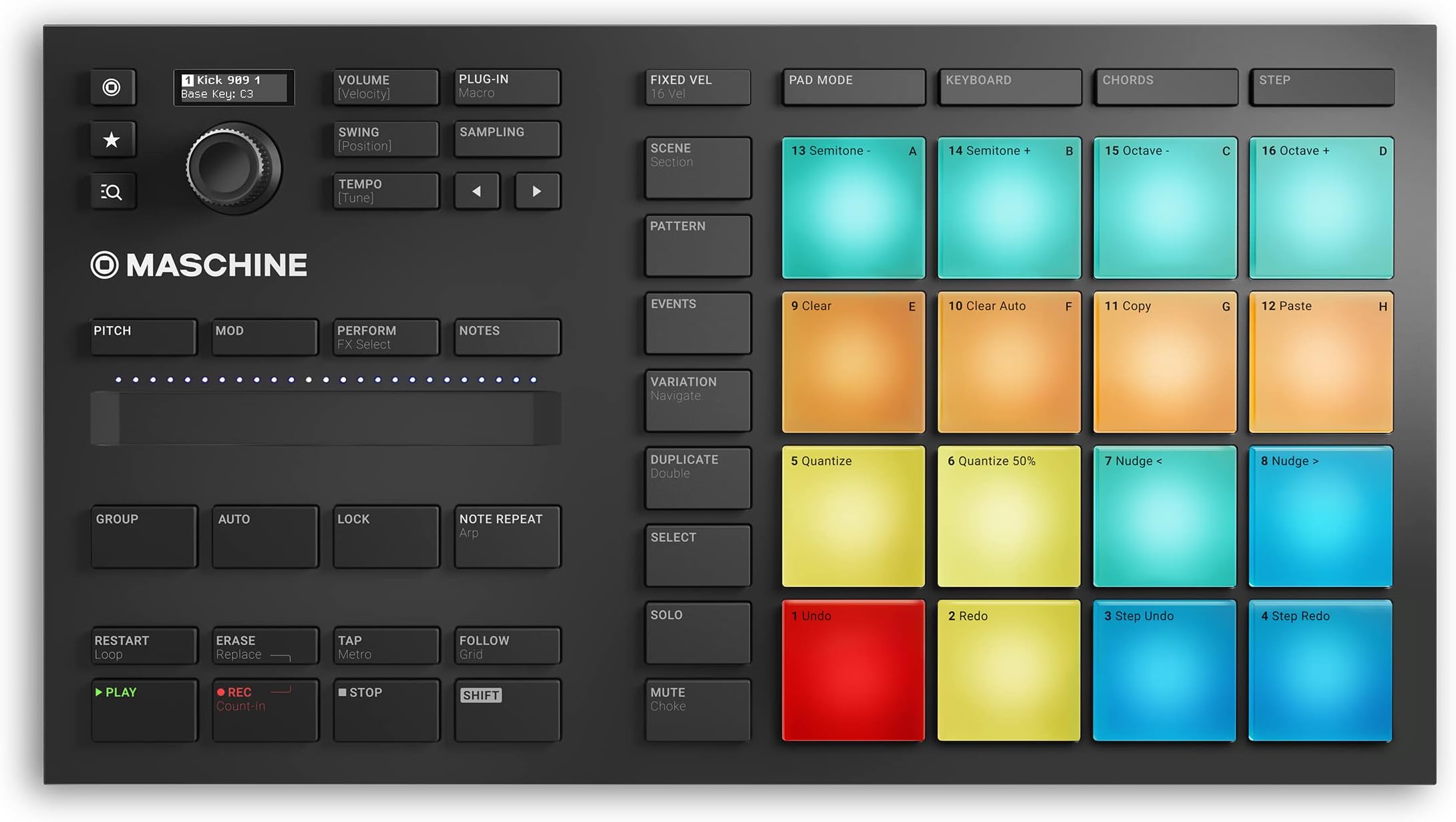
The Native Instruments Maschine Mikro Mk3 is a compact, USB-powered drum controller and music production instrument featuring 16 velocity-sensitive pads with four input modes (Drum, Keyboard, Chord, Step Sequencer). It integrates seamlessly as a plugin with all major DAWs and comes bundled with 1.6 GB of high-quality samples and presets. Designed for portability and tactile responsiveness, it’s perfect for millennial producers seeking a powerful, versatile tool to elevate their creative workflow both in-studio and on the move.


| ASIN | B07GY8C68J |
| Additional Features | Compact, Portable, Studio Recording, Keyboard Controller, Beat Maker |
| Best Sellers Rank | #16,783 in Musical Instruments ( See Top 100 in Musical Instruments ) #37 in DJ Controllers |
| Brand | Native Instruments |
| Brand Name | Native Instruments |
| Color | black |
| Compatible Devices | USB-compatible devices |
| Connectivity Technology | USB |
| Connector Type | USB |
| Control Method | Touch |
| Control Type | Percussion Controller, Keyboard Controller |
| Customer Reviews | 4.4 out of 5 stars 1,596 Reviews |
| Global Trade Identification Number | 04042477257071 |
| Hardware Interface | USB 2.0 |
| Hardware Platform | PC/Mac |
| Human Interface Input | Buttons |
| Included Components | MASCHINE Software |
| Instrument | Drum |
| Instrument Key | Any |
| Item Dimensions D x W x H | 12.6"D x 6.9"W x 1.7"H |
| Item Type Name | Electronic Drum Controller |
| Item Weight | 1.12 kg |
| Manufacturer | Native Instruments |
| Manufacturer Part Number | 25707 |
| Material Type | Metal |
| Model Name | Maschine Mikro Mk3 Drum Controller |
| Model Number | Maschine Mikro MK3 |
| Model Year | 2018 |
| Noise Control | None |
| Number of Items | 1 |
| Outer Material | Metal |
| Platform | Mac, Windows 10 |
| Product Dimensions | 12.6"D x 6.9"W x 1.7"H |
| Product Style | Drum Controller |
| Special Feature | Compact, Portable, Studio Recording, Keyboard Controller, Beat Maker |
| Supported Software | Ableton Live, Pro Tools, FL Studio |
| Total USB 2.0 Ports | 1 |
| Total USB Ports | 1 |
| Unit Count | 1 Count |
| Warranty Description | 1 year warranty. |
S**Q
Best bang for the buck.
I was looking for a new way to approach tune making. This device shines with its Machine DAW software and the ability to customize it with the configuration software. You can view many Youtube videos demonstrating its capabilities, so I will summarize here: The Maschine software is a DAW that can use existing VSTs and any of the NI expansion packs to create songs. Maschine software is based on the concept of building blocks for your composition...build a beat or phrase, chain beats and/or phrases and link them together. This is not how I create music but it's very useful, nonetheless. I love the key and chord modes that allow great experimentation. You configure your scale and base key and pretty much can't go wrong with the pad strikes. There's many different chord types and scales to choose from which really opens up the experimental aspect. I use Cubase and Reason and it integrates perfectly as a VST instrument in both cases. Many instances can be opened, so you can create a song using your favorite DAW and using the Maschine as an instrument for each track. This is what works best for me. Additionally, it is easily set up in MIDI mode by pressing (SHIFT + project) and using the configuration software, the pads can be adjusted to match your favorite drum machine. The config software allows you to adjust pad colors in MIDI mode. Maschine works really well if you have another NI keyboard. I have a Kontrol S61 and it can be used to browse and play harmonic notes right alongside the pads. Lastly, Maschine hardware seems really well built and has fantastic tactile response. Everything is downloaded from NI. The software, owners' manual and all the other documentation is well written, straightforward and do a good job explaining all the concepts they dicuss.
D**D
Probably the most fun I've had in a while.
Warning: From what I've read it's not compatible with Windows 7. That being said, fortunately I don't live in the dark ages and my computer is up to date. Okay well my laptop is... That being said, in Windows 10 it took some fidgeting to get it going, after that it worked flawlessly. I'm very much a beginner at this whole thing, I originally just had and MPD218 and was working with Ableton. Nothing fancy just learning the ropes. I did a ton of research between the MPC's and the Maschine. The MPC's tend to run a bit more on the pricey side and this one looked like something Apple would make but with pretty colored lights. As a beginner this made everything so much easier. Technology is crazy and it feels like cheating to use the software sometimes but whatever, I'm no musician. I've seriously been obsessed. For the last 24 I've had this thing I cancelled all my plans and basically lived in my room, it's so much fun to play with. If you are thinking about putting it in your cart but haven't made the decision yet? Cash your next paycheck in and starve for a week so can buy it. It's awesome, and for the actual pros I could see this being handy when you're wanting to make something on the go, it feels like this is all you would need ever. (Besides analog sounds that the hipsters make love to) I marked it 3 stars for easy to use because there's definitely a learning curve to the software if you're just learning a DAW and have to switch over. Those more familiar with DAWs probably have an easier time transitioning than I do, it's getting much easier though. Thanks to this handy tool. I guess I can stop taking muscle relaxers now!
M**N
Inexpensive high quality drum and instrument maschine.
I needed a replacement for my aging Roland R-70 drum machine. I wanted something not too expensive but something that was basic usb midi interface and has a straight bare bones interface mode. This unit was amazing! The quality is really good and the buttons are superb. It has no audio connections, you make all of that through your PC and the sound card on your PC. It has one usb cord and is powered through USB. It has two main modes. The original mode is coupled with the excellent software they provide to produce songs and rhythms. The mode I use is just pure midi interface. This unit is top notch. There is one thing, if you turn this off abruptly or your computer gets disconnected, your start up files on your PC can get corrupted. You just go on your PC and delete them, and they get remade automatically. No issues.
M**R
BUY THIS USED !!!
Got it it used works great the touch sensitivity A1 quality you just plug and go lights on point the whole experience just feels premium to the point where I think they sent me the brand new one since everything was in place and in order not even a single scratch or any type of damage BUY THIS USED is basically a free discount while giving you the same experience as the brand new one it comes straight from the manufacturer to (referred to the listing company native instruments) get you a machine best thing for my music and production.
A**S
Pro tools user- DO NOT BUY.
Audio engineer and studio veteran. If you want just a midi controller you can drum on superior drums, or XO, or pro tools (anything OTHER than maschine) then go with something else like the akai mpc studio! 1. Mine did not come with maschine software. 2. It only works with maschine software 3. You will have to buy it to see if this will work. The digital download maschine software is non refundable. 4. You’ll pay $99 for it and find out it still doesn’t work. 5. If you’re on a Mac, the maschine software works on osx 13 and above. 6. If you’re on a Mac with Samsung m.2 SSDs installed, you’ll be please to know that for this $200 controller, you’ll lose access to your m.2 drives by upgrading to osx 13 to use the maschine software. 7. After all is said and done, it still didn’t operate as a midi controller for any of my instruments. Today I wasted a total of 7 hours and $500 (this controller, maschine software which I will never use, and a new SSD to do a time machine back up to hopefully save my computer and revert back to OSX 12, all because of this POS. Pro tools users - avoid at all costs.
S**I
Many improvements have been made!
So. I wrote a fairly negative review when this thing first came out, but I need to update my review now because things have changed. My workflow is as such: I use FL Studio as my DAW, because it's what I've been using for almost two decades. I make some symphonic stuff with drums and some other hybrid sounds, and am classically trained in music. I was originally pretty upset because the functionality of this device with FL Studio was very limiting. Here is what has changed: 1) They added MIDI mode to the Mikro Mk3. This is great. Now I can use the pads to trigger all of my percussion VSTs outside of Maschine. Mapping the touch strip to any control in the host is as easy as two mouse clicks and touching the strip. We still cannot re-map the notes of the pads in MIDI mode in the Controller Editor, but it's easy enough to do that in the VSTs themselves so that they match with the layout of the Maschine pads. 2) Way more instructional videos and forum posts exist on the internet now than they did when the Mikro Mk3 was released. This means that if you need to figure out how to do something, you have a much better chance of finding how someone else did it. This was extremely useful for me as it allowed me to learn how to do items #3 and #4 in this list, which for me were the main purpose behind getting this thing. 3) You can create an instance of Maschine, put the pads in 'Note' mode, assign whatever Mode you want such as D Dorian or C Aeolian, record a pattern into Maschine and then drag the MIDI notes into a different VST in your DAW. This is a game changer, because it allows me to humanize instruments that I may want to further tweak in my DAW rather than tweaking them through the instance of Maschine I have in there. 4) You can use the pads to overwrite the velocity of notes you have created by mouse in FL Studio. Since I write a lot of melodies by mouse, the biggest drawback to this is humanizing velocity. There is something special about using your hands to hit something and having that translate to the velocity of each note. Ok. So you can just put the thing in MIDI mode, hit one of the pads to the rhythm and velocity you want to overwrite in your mouse-programmed-part, save that to an untitled .fsc (score), then load that .fsc as a QUANTIZATION template and use only the velocity. It's a little bit of work, but a total game-changer for someone like me who can write faster with a mouse than anything else. The only reasons I give this less than five stars are: 1) The Native Instruments software used to download and install everything can be a bit buggy on some computers. You may have to disable your Windows firewall and run the application in compatibility mode for Windows 8. 2) I have to be a little hacky (like in items 3 and 4) in order to get this thing to work in my particular workflow, which admittedly is different from the majority of people who would use such a device.
R**.
You need this gear!
I'm no producer but I enjoy making songs for myself if no one else. I've sold a few beats but mostly I do this for fun. I was starting to get frustrated using Ableton Live, I couldn't take advantage of all the features and versatility because the workflow was so cumbersome, it was hard to keep that creative feel, I realized I needed something to take my workflow to the next level. I was on the fence between Nascinr and Ableton Push. I decided on the Maschine Mikro because the workflow was so clean, oh and the price was nice. I didn't want to invest in another piece of equipment that was going to collect dust. This is just what I needed, out of the box it integrates perfectly with Maschine. I want happy about having to learn a new DAW but it made song arrangements very easy and intuitive instead of recording bars you work on stages of the music. Build your intro, you're done, then build your Verse. For the repetitive parts you don't have to copy or play them again you simply turn them on in the scene. You spend more time creating and less time clicking which hurts creativity. I already regret not buying the Maschine MK3. My advice is if you're wanting to be more creative and your workflow is suffering go ahead and pay the extra for the MK3 but if budget won't allow this is more than enough. You can watch videos on YouTube for all the bells and whistles. The other benefit are the expansion packs you get a ton of free packs and instruments so you can start making music right away. They are structured and mixed well so you can hear potential songs clearly
C**5
Must Understand The Product!
Upon purchase I was sceptical to how I would use this piece of kit in my work flow, and when I realized it was only compatible with it's own software I freaked a bit, but it's easy to learn, and works as a vst in your main daw , plus the kit is fun to use, and in my case the workflow is much more fun than the click and drag, if you already have midi keyboards, synths, and other hardware and are looking for an integrated drum machine this is honestly probably not your product, but if you are currently using a mouse, and software, this is a great product, something to default to wether it be a melody, drum pattern or chord progression, if you've already used a DAW extensively you can master the software in about a day, really a small learning curve, and if your brand new expect It to take 1-3 months to know what "most" stuff is, either way I won't tell you to by it or not, just leaving my thoughts for you!
K**R
Mashine mikro Mk3
The product is cool Is very interesting to play The pads are nice and supper cool to play Perfect product for music production
B**U
Enjoyable
I LOVE THAT MASCHINE
M**R
Nota 11
Qualidade incomparável. Produto preciso e muito bem construído.
H**H
Maschine Mikro Mk3
USB eingesteckt und dann ein kurzes Aufflackern und das war es. Ging leider wieder zurück.
M**H
It's so good product...
I love maschine... maschine is one of best product from. Native Instruments company.
Trustpilot
2 weeks ago
5 days ago