Desertcart purchases this item on your behalf and handles shipping, customs, and support to Turkey.
🌡️ Stay ahead of the curve with precision you can trust!
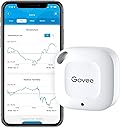
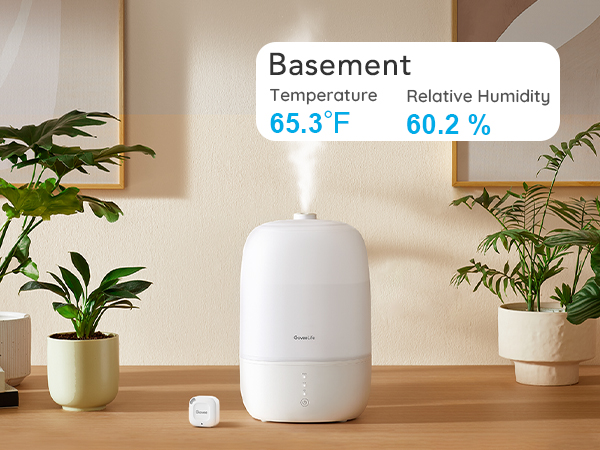
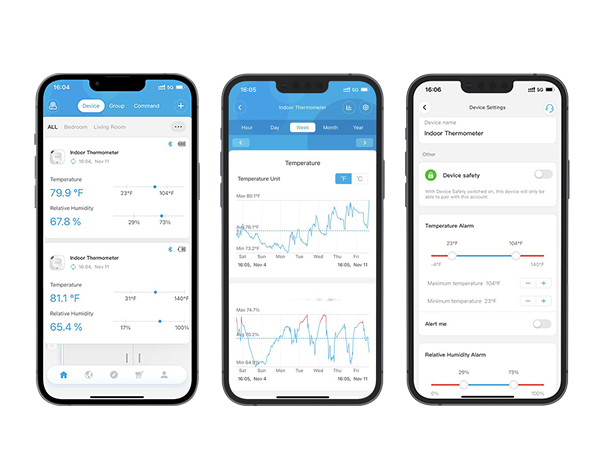
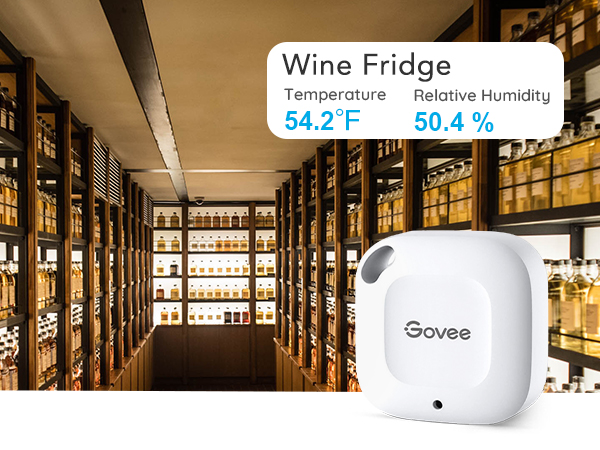
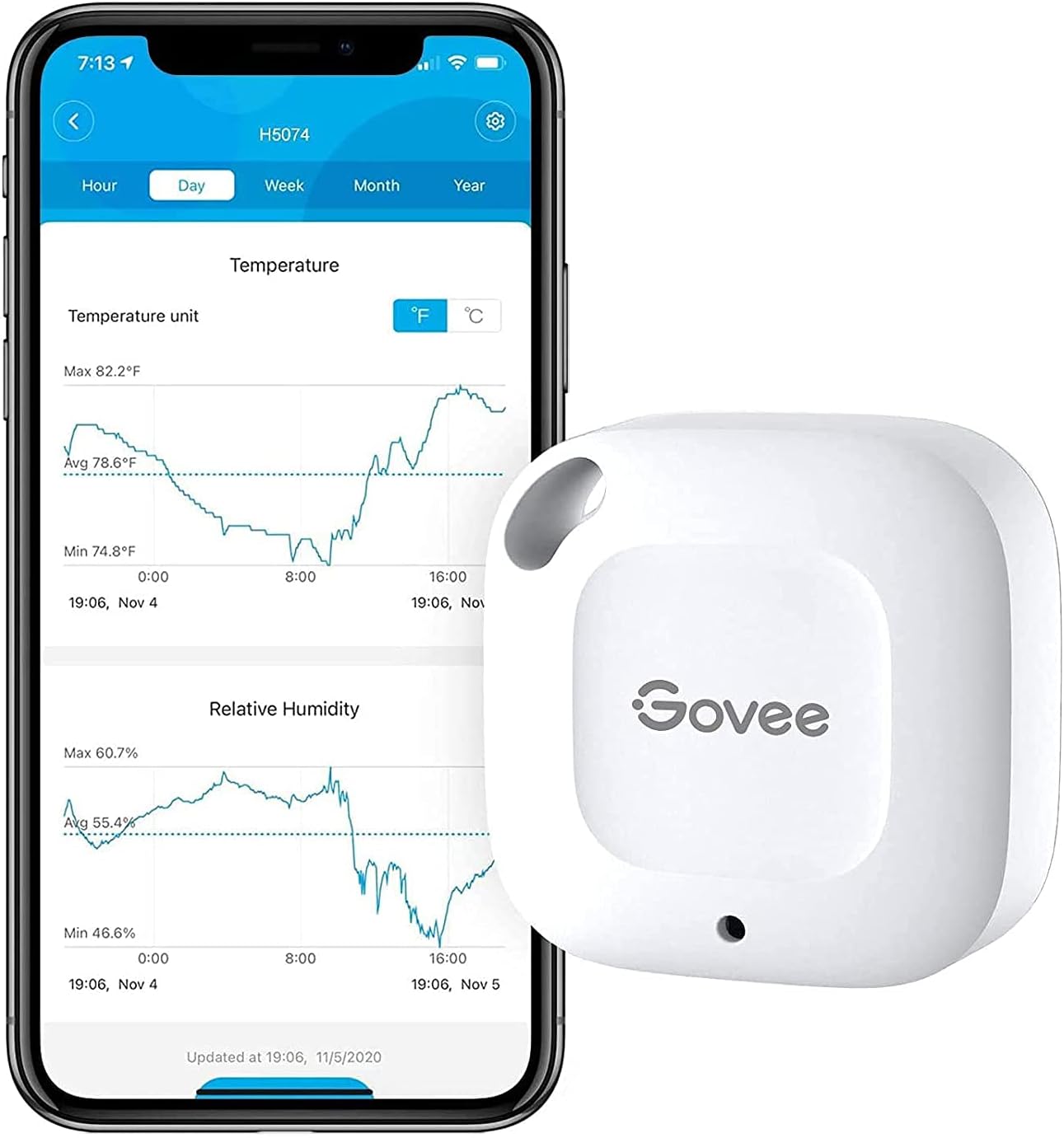
The Govee Smart Bluetooth Thermometer Hygrometer H5074 is a compact, highly accurate environmental sensor featuring a Swiss-made sensor with ±0.54°F temperature accuracy and ±3% humidity accuracy. It offers a 262ft Bluetooth range for real-time remote monitoring via app, 20-day onboard data storage with export capabilities for up to 2 years, and instant alert notifications to keep your spaces perfectly controlled.


| ASIN | B07R586J37 |
| Battery Description | No batteries required |
| Best Sellers Rank | #713 in Patio, Lawn & Garden ( See Top 100 in Patio, Lawn & Garden ) #9 in Indoor Thermometers |
| Brand | Govee |
| Brand Name | Govee |
| Color | White |
| Customer Reviews | 4.3 out of 5 stars 13,259 Reviews |
| Included Components | 1 x Govee Thermometer and Hygrometer,1 x Hanging String,1 x User Manual, |
| Item Dimensions W x H | 1.57"W x 1.57"H |
| Item Length | 4 inches |
| Item Weight | 10.48 g |
| Manufacturer | Govee |
| Model | H5074 |
| Mounting Type | Wall Mount |
| Number of Items | 1 |
| Operating Humidity | 20% - 80% |
| Part Number | H5074001 |
| Product Dimensions | 1.57"W x 1.57"H |
| Temperature Accuracy | 0.54 °F |
| Temperature Reading Accuracy | plus_minus_0_point_3_degrees_celsius |
| UPC | 739929049813 741663591770 |
| Unit Count | 1 Count |
| Upper Temperature Range | 60 °C |
M**R
Great for keeping track of cigar humidor
I’ve had the H5074 for three years or more, so I figure I owe a review. Unlike a lot of the reviews I see here, I have a very limited — but important — use for this thing. I have a large free standing cigar humidor in my upstairs study. But we live downstairs. And since I’m now retired, I am rarely upstairs checking on the humidity in the humidor where many scores of cigars reside. I say scores, but it has to be a couple hundred cigars. They mean a lot to me even though I do not smoke many any more. But it’s nice to know they’re there, waiting for me to smoke them or to provide them to a guest. Anyway. the point is that I easily keep track of my cigars’ health with this Govee. It is very reliable and well worth the expenditure. I highly recommend it
A**Y
I love these, but they aren't perfect
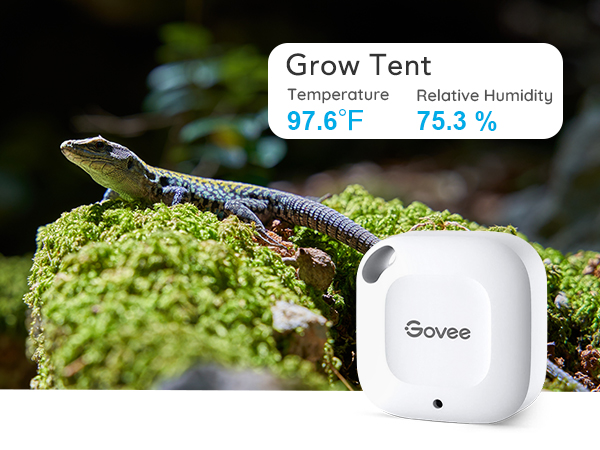
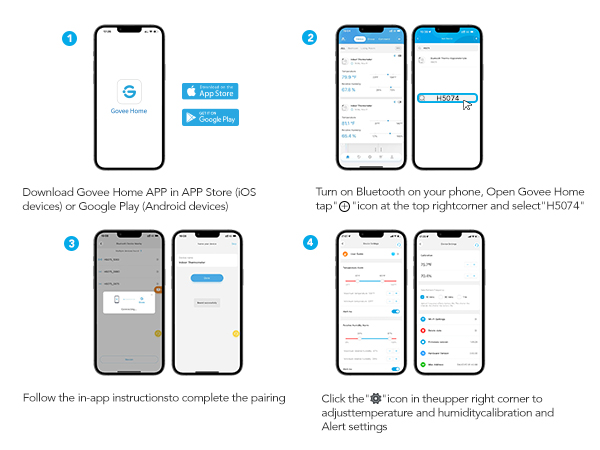
I love these. I have been using these Govee sensors for nearly three months now. I have 9 of them set up in my reptile/amphibian enclosures. I think they work for what they are, but they aren't perfect. Removing the battery tab and setting them up is really easy. You need to have their app. It walks you through setting them up. I had a problem ONE time with a sensor not turning on. These units are not sealed shut. You can open them with little effort (i pulled it apart with my fingers). The board inside is not adhered in. You can pull it out and adjust the battery with no problems. Once I did this, the unit worked fine. I have checked the accuracy by comparing the temperature with 2 standalone temp/hygrometers. One from accurite (commonly recommend by reptile groups) and one from La Crosse Technologies. What I found is that the sensor is accurate within 3 +/- degrees and 1-5% humidity. They do take some time to update. For example....if you spray your tanks, it can take 3-4 minutes for the adjustment in humidity to reflect on the app. The connection is via Bluetooth. You will not get readings while you are "away", but you will get data from when you were gone when you connect. The biggest problem that I have with these is that the information does not always update in the background or when opening the app. Sometimes, I will show readings on the home page from 2 different days. I have to click on each individual device for it to connect and update the information to current. This tends to be a problem maybe 2 times a week. The app has some features that are kind of social in nature. They have testing offers, promote products, do giveaways, etc. I don't really use this.... I don't really care what Stanger I've never met named Steve in California did to his van with the strip lights that Govee sells. Happy for him if he's happy, but otherwise I just don't care. I needed to contact support one time because the app offers coupon codes from time to time. When I attempted to use the code, it would not let me. I contacted support. They were... not super helpful. The communication seems to be a language barrier. If I had problems with the units themselves, I can see this being a big issue. Overall, pretty happy with these. I bought my first one at full price but have gotten the rest on sale. I recommend waiting for sale prices.
Z**I
Home Info Center: a great option, though not perfect
I got this sensor to create a simple "information center" out of an old iPad, for use in my RV. This just involves setting up the "home screen" of the pad with widgets from various apps like weather, calendar, etc. Using iOS widgets lets me make a flexible, easy-to-read display that's user friendly without any special software or setup. Importantly, it uses BT instead of WiFi, since I don't have a router in my RV. It mostly gets the job done and for the money it's hard to complain. It could be a little better, though. WIDGETS I chose the Govee over all others because it was the only option I found that offered iOS widgets. The widget has Dark and Light mode versions, which is nice. There are small, medium, and large sizes. The small can display one sensor; the other two display multiple sensors. You get sensor name, date and time, picture of the device, temp readout, and humidity readout...which is actually too much. This does meet my needs, but I'm disappointed that the most important info -- the temp and humidity -- are very small and hard to see due to sharing space with all that extra info, and especially the picture of the device, which is *pointless since it never changes*. Widgets should display whatever the app specializes in ONLY, not a whole cluster of the same redundant info I can get anywhere else. It's like having the clock on the wall, on the microwave, on the DVD player, on the coffee maker... I'd prefer to see only device name and measurements. The smallest widget would ideally (for me) show just one user-chosen measurement, allowing very customizable and easy-to-read layouts. The other widget sizes are better suited to fitting in more measurements and/or more sensors. I hope Govee will add easier-to-read widget options in a future app update. PERFORMANCE Aside from this, the device itself performs fine. I have no "calibrated" thermometer to compare it with, but the numbers agree with various other devices and they update often. If I pick it up in my hand I see the temp go up pretty much right away. I'm happy with how compact it is. Setup was fast and easy. No registration or signup required to add the device to the app, and connecting to the sensor went smoothly. I The instructions are written in a way that seems like you can add a sensor directly from the app, but in iOS at least you need to pair to the sensor in Settings (the conventional way) before the app will see it. This is plenty easy. I have my sensor in an exterior compartment that's enclosed in metal. It's only about 10 feet from my pad but there's quite a lot of obstructions between them, and I have no trouble with the connection. INSTALLATION The device itself is surprisingly small; only a little larger than its widget displaying on my iPad! This makes it easy to slip into just about any spot. The only physical change I suggest to the case is a second mounting hole, which would make it much easier to secure against movement and vibration. The hole is located on a face that's angled so if you try to (lightly) secure it with a screw, it doesn't sit flat - the beveled edges of the case make it "wheelie". A second hole (or simpler case design) would help with that. BATTERY The batteries are CR2477 coin cells, which are a rather large and totally unfamiliar size of coin cell for me in the US. One cell is about the size of 4 US quarters stacked up. These are tough to find in local stores (though of course AMZ has them) but their energy capacity is almost 5 times that of a common CR2032 so I expect they will last quite a while -- though I haven't had it long enough to say. I don't know if it sends a "low batt" message to the app/widget (but that'd be a nice feature).
R**H
A must have if you have thermostats from Govee
I use this to connect to the Govee app to control my Govee humidifier. It tells you the temperature in the room how much humidity is in the air and can also be used to trigger my humidifier. It connects via Bluetooth to the Govee app. It could be used to control other devices that you might have. It can keep up to three weeks of logs on the temperature and humidity in your room or in its location. It comes with its own little battery that you activate by pulling out the tab and it’s so small you can hang it on the wall and not even notice it. I’ve had mine for several months and I have not had any to replace the battery. It doesn’t have a display.
J**N
Very useful
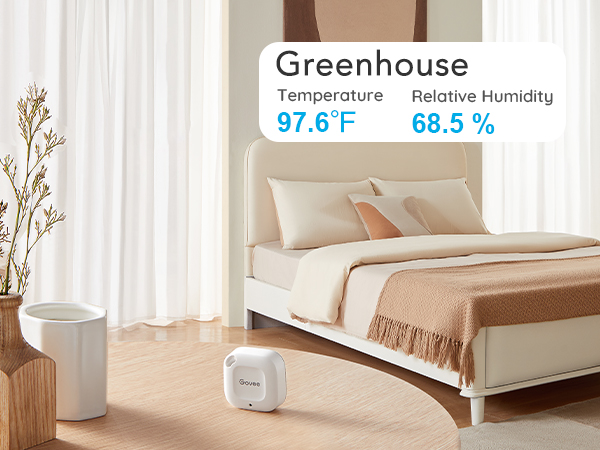
I use these in my greenhouse and on my porch where some of my plants live. They were a lifesaver in the winter when I needed to make sure my plants stayed warm enough and I have found them useful all year for keeping track of the humidity levels. They were so easy to set up, there was basically no setup other than connecting them in the app. I absolutely will recommend these to my other plant friends.
J**Z
So good I bought another on. But now way out of spec
I had bought a plastic jar type of humidor with an analog hygrometer built into the top that I suspect had been off (by a lot) so the items inside seemed to have not been kept at an optimal humidity. I put in the Govee and put in some humidifier sticks to try to get the humidor to around 70 percent. I initially had some issues (my cigars were wrapped, but also seems like they had been drier than expected so need to get humidified before the humidity would stabilize) so I unwrapped them as well.. It took a couple days, in the mean time I decided to calibrate the Govee by using the wet salt trick (put some salt in a drink cap, get it wet and then put the hygrometer and cap into a zip lock bag and let sit for a few hours to find 70 % humidity). To my surprise, the Govee was only about 1% off and since you can calibrate it I finally got my reading around 70%. One weird thing about the app is that once the humidty stabilizes it show that the humidity is zig zagging up and down (so it might show 70.1% then 70.2% and then back to 70.1%. In the app, it looks like a big swing (visually) but in fact the humidity seems to be stable now. I like it so much I bought another one. The results for the second one aren't as good as the first (I put the first in a acrylic humidor in a cabinet near the kitchen/dining room/living room and I put the second one inside of a freezer in the garage. The range is great for the first one that is in the living room, but for the second room I should have realized that putting it inside of a steel box might have an affect on the range of the bluetooth. With that said, it doesn't always connect in the way I intended (I had hoped it would give me an alert if the freezer turns off so I don't loose everything in it if it gets above a certain temperature). For the price, I would still definitely recommend. Update: way out of spec. 20% from one Govee model to another. Both in same humidor. Humidor is sealed. Not sure if I can trust it.
M**.
Scores a ZERO on SECURITY OF YOUR DATA!
This device is easy to use, accurate and convenient. It is however, not built with your security in mind. This is the reason for one star. First, it requires the use of their "Govee Home" app, and only their app. This would be fine if the app provided some semblance of being secure, but it does not. First, it wants to know your location, the app will not start without that "vital" connection. Why? Who knows for sure, but the second requirement is the kicker. Even though this device is a Bluetooth transmitter, THE APP WILL NOT RETRIEVE THE BLUETOOTH TEMPERATURE DATA UNLESS YOU ARE CONNECTED TO THE INTERNET via WiFi or cell data connection! That's right, a BlueTooth-only device - that only transmits temperature and humidity readings, that's it - needs to talk to the internet through your device for some odd reason. This is without signing up for an account on their system, which they want you to do to get the CSV data for a spreadsheet. If you have one of these little gems, you can test this requirement by using a tablet for the app and turning off your WiFi connection for an hour or so, then try refreshing the temperature data. It will give various errors including "Network not available...". Upon turning your WiFi connection back on, refreshing the graph in the app will *instantly* show all the data since you turned it off, up to the minute you turned it on. Yes, BT was on the entire time, and other devices could be seen over that BT while the WiFi was off. So what is it that is so important for the app to do that it needs to talk to the mothership before I can get a temperature reading from my attic, which is all I bought the device for? Thankfully I use this app on a cheap, old factory-wiped tablet with a dummy account, that has no other uses anymore. I suggest that if you, like me, decide to keep this device, and thus are forced to use their app, you should do something similar with an old (factory wiped) phone, etc.
S**H
They’re accurate, durable & easy on batteries!
These things are great, for the price I paid! The 2 drawbacks of using a Blue Tooth device are of course present, the relatively short range, I sometimes have to walk around inside the house to get data from my more distant devices — plus unlike a WIFI device, you must be at home to begin with. But if you want a lot of sensors you save a lot by going the Bluetooth route.
P**R
Useful
Very useful
I**A
Funciona muy bien en mi refrigerador
Funciona muy bien. La aplicacion es facil de usar y si me dio la opcion de que nadie mas se pueda conectar al sensor. Lo puse en el refrigerador y me ayuda a estar al pendiente de la temperatura. Puse la alarma de temperatura alta y si me avisa cuando pasa del valor que le puse.
A**R
It works. But the packaging is ridiculous. So much for sustainability.
A**L
Excelente para monitorear la temperatura
Compré este hygrómetro para monitorear la tempreratura de mi cuarto de fermentación (cervezas, sidras, hidromieles, etc...) y la verdad es que ha sido muy práctico ver el comportamiento de la temperatura, lo cual voy a poder correlacionar con algunos efectos en el proceso. El dispositivo en sí es sumamente pequeño y puede ser colgado en cualquier parte y olvidarte de él hasta que realizas la sincronización bluetooth, algo que estaba buscando ya que en ese lugar no existe una conexión a internet.
P**W
Now in my EDC. Love it.
Pros - Very responsive. Feels robust. The app is great with big Temperature display and customisation has widgets. Updates every hour. Can set alarms if the temperature falls for increases. It can be recalibrated. Meh - Value for money. (could be cheaper) Cons - links to only 1 device at a time. The white cover gets dirty easily. No reading on the device.
Trustpilot
1 month ago
2 months ago